

Technology has changed the way teachers teach and students learn.
Traditional whiteboards and projectors are increasingly being replaced by interactive flat panels, digital teaching platforms, video collaboration tools, and cloud-based educational software.
However, installing an interactive display alone does not necessarily create a truly smart classroom.
The computing platform behind the display is equally important.
For schools and educational institutions that need Windows applications, reliable performance, and long-term flexibility, an OPS PC for smart classrooms can provide a practical computing solution.
By combining an interactive flat panel with a Windows-based OPS computer, schools can create a cleaner, more flexible, and easier-to-manage digital learning environment.
What Does a Smart Classroom Need?
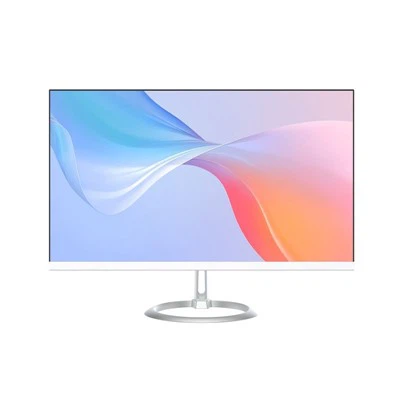
A modern smart classroom is more than a large touchscreen.
Teachers may need to combine several types of content during a single lesson:
- Digital presentations
- Online learning platforms
- Educational software
- Video and multimedia
- Interactive teaching applications
- Web-based resources
- Screen sharing
- Document annotation
- Video conferencing
This means the classroom display needs a computing system capable of handling different applications smoothly.
For simple content playback, the built-in system of an interactive display may be sufficient.
However, when teachers need full desktop applications or specialized educational software, a Windows OPS PC can provide greater flexibility.
Why Use an OPS PC in a Smart Classroom?
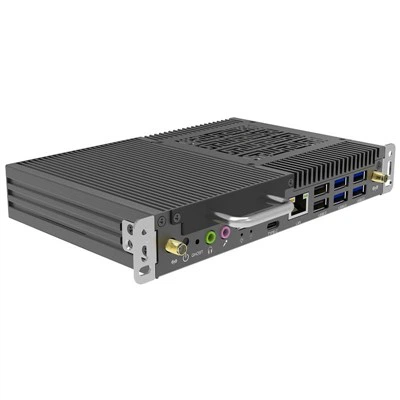
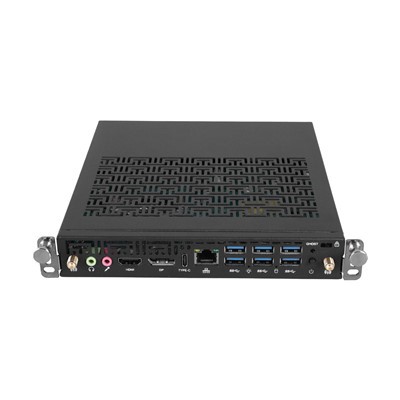
An OPS PC is designed to work with compatible interactive displays through a dedicated OPS slot.
Instead of placing a separate computer beside the display and connecting multiple cables, the computer module is installed directly into the display.
This approach is particularly useful in classrooms where space, reliability, and ease of operation are important.
A properly configured OPS PC Module can provide the computing performance needed for interactive teaching while keeping the classroom installation clean and organized.
1. Access to Windows Educational Software
One of the biggest advantages of using a Windows OPS PC is software compatibility.
Schools often use software that is designed specifically for Windows environments.
Examples include:
Microsoft Office
Microsoft Teams
Zoom
Educational authoring tools
Engineering and design software
Language learning applications
Classroom management software
Specialized teaching platforms
With a Windows-based OPS Computer Module, teachers can use the software they are already familiar with instead of changing their workflow to fit the operating system.
This can make the transition to digital teaching much easier.
2. Better Support for Interactive Teaching
An interactive flat panel becomes much more useful when it is connected to a capable computing platform.
Teachers can combine:
Touch + Windows + Interactive Software + Multimedia
within a single lesson.
For example, a teacher could open a presentation, play a video, switch to an online learning platform, demonstrate software, and annotate content directly on the display.
This makes the interactive display more than just a digital whiteboard.
It becomes a complete teaching workstation.
3. Flexible Performance for Different Classrooms
Not every classroom has the same requirements.
A primary school classroom may only need basic applications, web browsing, and multimedia.
A university engineering classroom may require much more processing power.
For this reason, the computing configuration should match the application.
An OPS PC for education can be configured with different Intel processor platforms, memory capacities, and storage options depending on the project.
For example:
Basic classroom
Intel Core i3
8GB RAM
256GB SSD
Standard smart classroom
Intel Core i5
16GB RAM
512GB SSD
Advanced education / training
Intel Core i7 or Intel Core Ultra
16GB–32GB RAM
512GB–1TB SSD
The actual configuration should always be based on the software and workload rather than simply choosing the highest specification.
HJS currently offers OPS solutions across different Intel platforms, including Core i3/i5/i7 configurations and newer Core Ultra platforms.
4. Easier Maintenance for Schools
Educational institutions may have dozens or even hundreds of interactive displays.
If every display uses a separate external computer, cable management and maintenance can become more complicated.
An OPS Slot-in PC provides a more integrated solution.
If the computing module needs to be upgraded or replaced, technicians can service the computer module without replacing the entire interactive display.
This modular architecture can be particularly valuable for schools planning long-term deployments.
Instead of replacing an entire display when computing requirements change, the computing component can potentially be upgraded separately.
5. A Cleaner Classroom Installation
Classroom space is limited.
A traditional external PC may require:
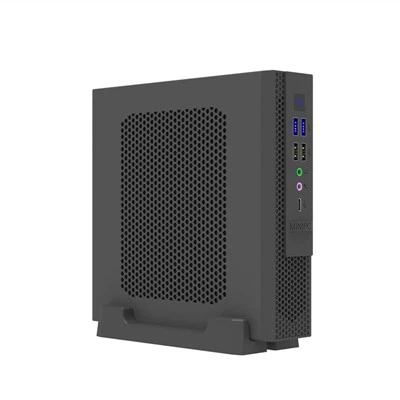
A separate computer
Power adapter
HDMI cable
USB cable
Network cable
Additional accessories
An OPS PC integrates the computing module into the compatible interactive display.
The result is a cleaner installation with fewer external components.
For schools deploying interactive flat panels across multiple classrooms, standardizing the computing configuration can also simplify installation and maintenance.
OPS PC vs External PC for Smart Classrooms
|
Feature |
External PC |
OPS PC |
|
Installation |
More cables and components |
Integrated into display |
|
Classroom appearance |
More equipment |
Cleaner setup |
|
Windows applications |
Yes |
Yes |
|
Hardware upgrades |
Possible |
Modular |
|
Maintenance |
External device |
Slot-in module |
|
Space requirement |
Higher |
Lower |
|
Ideal for |
Flexible standalone setups |
Interactive display environments |
The right choice ultimately depends on the project.
However, when the classroom is built around an interactive flat panel, an OPS PC can provide a more integrated computing architecture.
What Should Schools Consider Before Deploying OPS PCs?
Before purchasing an OPS PC for a smart classroom, schools and system integrators should consider several factors.
Display Compatibility
Make sure the interactive flat panel supports the appropriate OPS standard and connector.
Computing Performance
Choose the processor based on the educational software and expected workload.
Memory and Storage
For standard classroom applications, 8GB or 16GB RAM may be sufficient. More demanding applications may require higher configurations.
Connectivity
Check requirements for USB, HDMI, DisplayPort, LAN, Wi-Fi, Bluetooth, and other interfaces.
Long-Term Support
Education projects often remain in service for years, so product availability, technical support, warranty, and spare parts should be considered.
OEM/ODM Requirements
Large education projects may require customized configurations, branding, BIOS settings, operating systems, or specific interfaces.
These factors can have a significant impact on the total cost and long-term reliability of a smart classroom deployment.
Where Can OPS PC Be Used in Education?
OPS PC are not limited to traditional classrooms.
They can also be used in:
Smart Classrooms
Interactive teaching, digital whiteboards, multimedia lessons, and online educational platforms.
University Lecture Halls
Large interactive displays combined with professional software and multimedia content.
Training Centers
Software demonstrations, professional training, and interactive presentations.
Language Labs
Interactive learning applications, video content, and online resources.
Conference and Collaboration Rooms
Educational institutions can also use interactive displays for staff meetings, remote collaboration, and presentations.
HJS positions its OPS products for education and conference environments as well as other commercial applications.
Why Choose HJS for Smart Classroom OPS PC Solutions?
For education projects, the computer itself is only one part of the solution.
The supplier's manufacturing capability, customization support, and after-sales service can also be important.
Shenzhen HJS Technology Group has more than 16 years of experience in OPS PC and related computing products, with a dedicated R&D team and manufacturing facilities in Shenzhen. The company also provides OEM/ODM services and a three-year warranty.
HJS offers different OPS platforms and configurations for interactive displays, including Intel-based solutions supporting Windows and Linux systems.
For schools, educational technology companies, interactive display manufacturers, and system integrators, this allows OPS PC configurations to be adapted to different classroom and deployment requirements.
Frequently Asked Questions
What is an OPS PC for a smart classroom?
An OPS PC is a computer module designed to integrate with compatible interactive displays. It can provide Windows-based computing for educational software, presentations, multimedia, and interactive teaching applications.
Is an OPS PC better than built-in Android for education?
It depends on the application. Built-in Android can be suitable for basic whiteboarding and content playback, while a Windows OPS PC is more suitable when schools need desktop applications, specialized educational software, and enterprise IT compatibility.
Can an OPS PC be upgraded?
The modular design of OPS systems makes the computing module easier to replace or upgrade compared with a fully integrated computer system. However, compatibility should always be checked before selecting a replacement module.
What processor should a school choose?
For basic classroom applications, an Intel Core i3 may be sufficient. Core i5 is a good choice for general-purpose smart classrooms, while Core i7 or Core Ultra platforms may be more suitable for demanding applications.
Conclusion
A smart classroom is not simply a classroom with a large touchscreen.
It is an integrated environment where interactive displays, software, connectivity, and computing performance work together.
For schools that need Windows applications, reliable performance, easier maintenance, and long-term flexibility, an OPS PC for smart classrooms can be an effective computing solution.
By combining an interactive flat panel with a flexible OPS PC Module, schools can create a cleaner and more capable digital learning environment while maintaining the ability to adapt their computing platform as technology and teaching requirements evolve.