

Walk into almost any modern classroom or meeting room, and you'll likely find an interactive flat panel with Android built in.
For many everyday tasks, that's more than enough. Users can open a whiteboard, browse the web, play videos, or wirelessly share their screens without connecting an external device.
So why do leading interactive display manufacturers still include an OPS slot on nearly every professional display?
If Android can already handle presentations and collaboration, why invest in a Windows OPS PC?
The answer is simple: interactive displays are designed for collaboration, but businesses still rely on Windows for productivity.
As organizations demand more powerful software, better IT management, and longer product life cycles, an OPS PC Module becomes far more than an optional accessory-it becomes the computing platform that unlocks the full potential of the display.
Android Is Excellent for Collaboration
There's no denying that Android has transformed the user experience of interactive displays.
Without connecting any external hardware, users can:
Open a digital whiteboard
Annotate documents
Browse websites
Play multimedia content
Wirelessly share screens
Conduct basic presentations
For quick meetings and classroom interaction, Android provides a fast and intuitive experience.
For many users, that's exactly what they need.
But commercial environments rarely stop there.
Modern Workplaces Depend on Windows Applications
The moment an interactive display becomes part of a company's daily workflow, the requirements change dramatically.
Employees need access to familiar business software, such as:
Microsoft Office
Microsoft Teams
Zoom
Enterprise Resource Planning (ERP) systems
Customer Relationship Management (CRM) platforms
CAD and engineering software
Professional education applications
Most of these applications are designed primarily for Windows-not Android.
Rather than replacing Android, a Windows OPS PC expands what an interactive display can accomplish, turning it into a fully functional workstation.
Why Display Manufacturers Still Include an OPS Slot
This is one question many buyers overlook.
If Android alone were enough, manufacturers could simply remove the OPS slot and reduce hardware costs.
Instead, almost every major interactive flat panel brand continues to support the Intel OPS standard.
The reason is flexibility.
Different organizations have different software environments, security policies, and computing requirements.
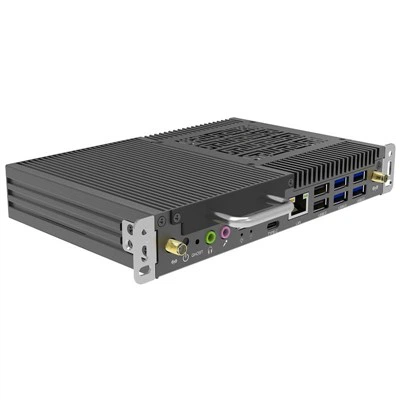
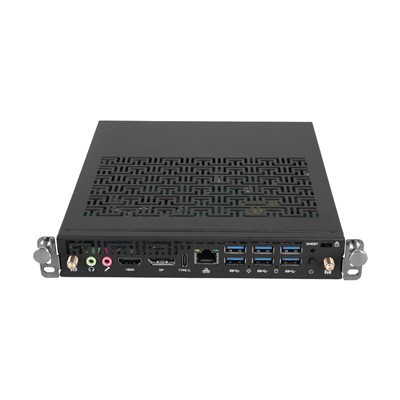
By installing an OPS Slot-in PC, users can upgrade computing performance without replacing the display itself.
This modular design extends product life while protecting the customer's investment.
Windows OPS PC Fit Better into Enterprise IT Environments
For IT administrators, deploying hundreds of Android devices can introduce management challenges.
Windows-based OPS Computer Modules integrate naturally into existing corporate infrastructure.
They support:
Windows domain management
Active Directory
Enterprise security policies
Remote desktop management
Software deployment tools
Standard antivirus solutions
This allows IT teams to manage interactive displays just like any other Windows computer on the corporate network.
For schools, government organizations, and large enterprises, this level of compatibility is often essential.
Performance Matters More Than Ever
Interactive displays are no longer used only for presentations.
Today's commercial environments demand much more.
A single display may simultaneously run:
4K multimedia content
Video conferencing
Interactive teaching software
Cloud collaboration platforms
Multiple browser sessions
Touch-enabled applications
An Intel-based OPS PC Module equipped with Core™ i5, Core™ i7, or Core™ Ultra processors delivers significantly greater computing performance than a built-in Android system.
The result is a smoother user experience and greater long-term productivity.
Android and Windows Are Better Together-Not Against Each Other
One common misconception is that businesses must choose between Android and Windows.
In reality, the most effective interactive display solutions combine both.
Android is ideal for:
Instant startup
Whiteboarding
Screen sharing
Basic presentations
A Windows OPS PC is ideal for:
Professional office work
Enterprise software
Specialized applications
Advanced multitasking
High-performance computing
Instead of competing, the two systems complement each other, giving users the flexibility to switch between simple collaboration and full desktop productivity whenever needed.
Which Organizations Benefit Most from Windows OPS PC?
While every deployment is different, Windows-based OPS PC Modules are particularly valuable for:
Higher Education
Universities often require Windows software for engineering, architecture, programming, and research.
Corporate Meeting Rooms
Businesses rely on Microsoft Teams, Office applications, and secure network environments for daily collaboration.
Government Institutions
Security, centralized management, and long product life cycles make Windows a preferred platform.
Healthcare
Hospitals and medical centers frequently use specialized Windows applications that cannot run on Android alone.
Professional Training Centers
Training organizations often require software demonstrations, simulations, and industry-specific applications.
Choosing the Right OPS PC for an Interactive Flat Panel
Selecting the right OPS Computer Module involves more than choosing the latest processor.
Consider:
The software your users rely on every day
Required computing performance
Future upgrade plans
Enterprise IT compatibility
Long-term technical support
OEM or ODM customization requirements
The right solution should support both today's workloads and tomorrow's business growth.
Why HJS?
HJS specializes in designing and manufacturing Intel-based Windows OPS PC for commercial display applications.
Our OPS Slot-in PC are built for education, conference systems, digital signage, and enterprise collaboration, offering flexible Intel platforms, reliable performance, and OEM/ODM customization to meet different project requirements.
Whether you're integrating interactive flat panels into classrooms or deploying large-scale meeting room solutions, HJS provides reliable computing modules designed for long-term commercial use.
Frequently Asked Questions
Can built-in Android replace a Windows OPS PC?
For basic whiteboarding and presentations, Android is sufficient. However, professional software, enterprise applications, and advanced multitasking typically require a Windows OPS PC.
Is an OPS PC Module easy to upgrade?
Yes. One of the biggest advantages of an OPS Slot-in PC is its modular design, allowing users to upgrade computing performance without replacing the entire interactive display.
Do all interactive flat panels support OPS PC?
Not all models do. Before purchasing an OPS Computer Module, verify that the display includes a compatible Intel OPS slot.
Conclusion
Built-in Android has made interactive flat panels easier to use than ever before, but ease of use is only part of what modern organizations need.
As businesses, schools, and public institutions increasingly depend on professional Windows applications, centralized IT management, and long-term hardware flexibility, the role of the Windows OPS PC becomes even more important.
Rather than replacing Android, an OPS PC Module complements it-bringing desktop-class performance, enterprise compatibility, and future-ready scalability to the interactive display.
For organizations seeking a smarter, more versatile collaboration solution, combining built-in Android with a Windows OPS PC remains the most practical and reliable approach.