
Small Size, Big Possibilities: Why NUC Mini PCs Are a Smart Choice for Modern Businesses
Introduction
Modern businesses do not always need a large desktop computer.
As workplaces become more compact and digital applications become more diverse, businesses increasingly need computers that can provide reliable performance without taking up unnecessary space.
This is where a NUC Mini PC can provide a practical solution.
A compact Mini PC can be used behind a monitor, inside a kiosk, under a desk, behind a commercial display, or in other space-constrained environments. With the right processor, memory, storage and connectivity, a small computer can support a wide range of business applications.
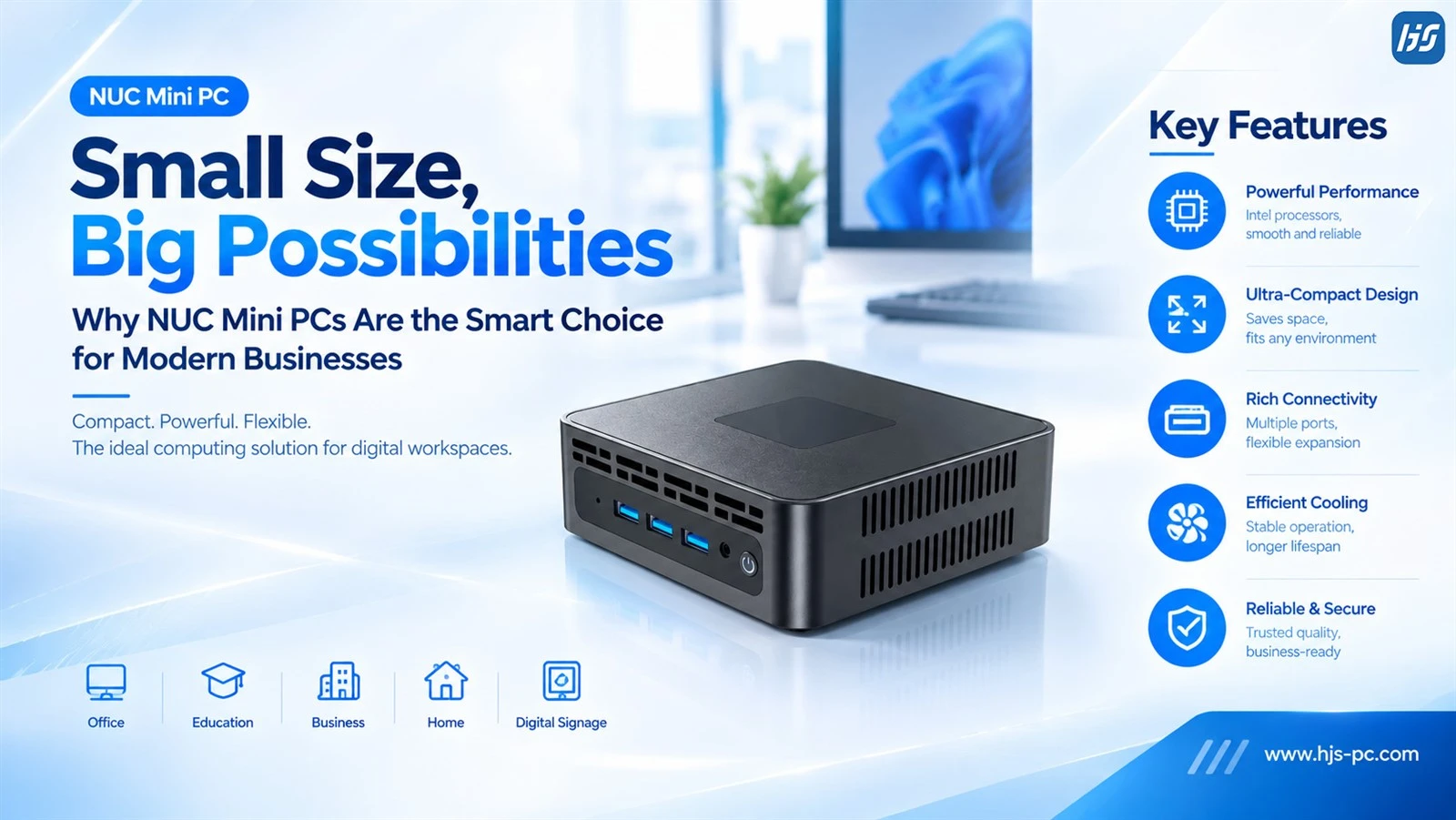
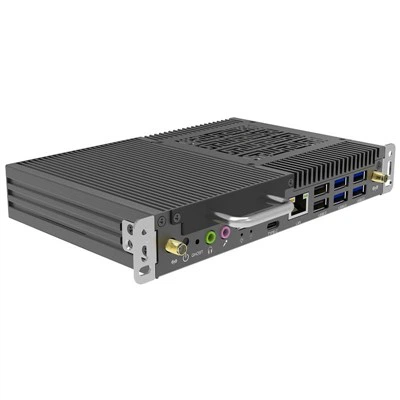
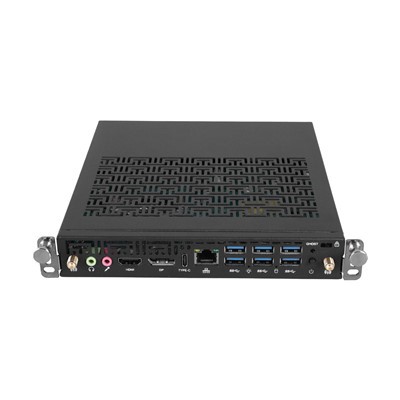
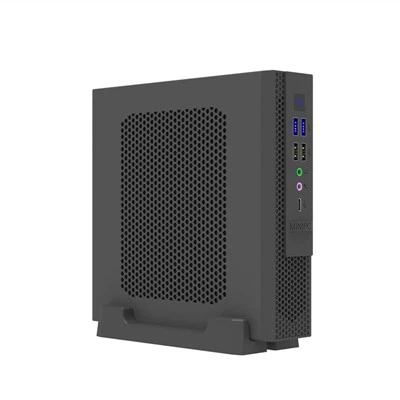
At HJS, we develop Mini PC solutions for business, commercial and customized applications, including compact NUC-style Mini PCs designed for applications such as office computing, digital signage, kiosks and commercial projects.
The key idea is simple:
A smaller computer does not have to mean a smaller solution.
1. Why Size Matters in Modern Computing
The first advantage of a NUC Mini PC is its compact form factor.
Traditional desktop computers often require a dedicated space under or on a desk. However, many modern applications have much less available space.
A compact Mini PC can be installed:
- Behind a monitor
- Under a desk
- Behind an interactive display
- Inside a kiosk
- Inside a reception counter
- In a meeting room
- Behind a digital signage screen
- In a compact industrial or commercial system
This flexibility makes a small form factor PC particularly useful for businesses and system integrators.
For projects involving dozens or hundreds of computers, reducing the physical footprint of each device can also simplify installation and workspace planning.
2. Small Form Factor, Practical Performance
A Mini PC should not be judged by its physical size alone.
Modern NUC PCs can integrate Intel® Core™ processor options, fast memory and SSD storage to support many everyday business applications.
Depending on the configuration, a NUC Mini PC for business can be used for:
- Office applications
- Web browsing
- Video conferencing
- Business software
- Digital signage
- Content playback
- Kiosk applications
- Commercial displays
- Multi-display applications
- Industrial projects
The important point is that Mini PC performance should be matched to the actual application.
For example, an office workstation may require a different configuration from a digital signage system running continuously or a commercial system driving multiple displays.
This is why businesses should consider the complete hardware configuration rather than choosing a Mini PC based only on its size.
3. HJS NUC Mini PC: Compact Computing for Different Applications
As a manufacturer of PC solutions, HJS offers NUC Mini PC solutions designed for different commercial and business requirements.
The HJS NUC Mini PC platform can be configured with different Intel® Core™ processor options and supports common business requirements such as fast SSD storage, system memory, multiple display outputs and rich I/O connectivity.
Depending on the model and configuration, HJS Mini PCs can support:
- Intel® Core™ processor options
- Multiple display outputs
- USB and USB Type-C connectivity
- HDMI and DisplayPort
- LAN connectivity
- Wi-Fi 5 / Wi-Fi 6
- Bluetooth 4.2 / 5.0 / 5.2
- Compact installation
- OEM and ODM customization
This allows the HJS NUC Mini PC to be adapted to different project requirements rather than being limited to a single application.
For B2B customers, this flexibility can be particularly useful when a project requires specific processor configurations, memory, storage, I/O or mechanical design.
4. One Mini PC, Many Business Applications
One of the biggest advantages of a NUC Mini PC is its versatility.
The same compact computer concept can be used across multiple industries.
Office Applications
For office environments, a Mini PC can provide a compact workstation for:
- Office software
- Web applications
- Video meetings
- Business management systems
- Remote work
Because the computer can be positioned behind the monitor or mounted away from the desktop, it can help create a cleaner workspace.
Digital Signage
A Mini PC for digital signage can be installed behind a commercial display to run digital content.
Typical applications include:
- Advertising screens
- Menu boards
- Corporate information displays
- Retail displays
- Transportation information
- Public information systems
The compact form factor is particularly useful when there is limited space behind the display.
Kiosks
Kiosk systems often have limited internal space.
A Mini PC for kiosk applications can provide the computing platform while leaving more room for the touchscreen, printer, scanner, camera and other peripherals.
Education
Schools and training centers can also use Mini PCs for:
- Classroom displays
- Digital signage
- Teacher workstations
- Interactive learning systems
- Computer labs
Commercial Projects
For system integrators, a business Mini PC can become part of a larger customized solution.
This could include retail systems, meeting rooms, commercial displays, smart offices or industrial applications.
5. Connectivity Is Critical for a Compact PC
A small computer still needs to connect with the rest of the system.
For this reason, I/O connectivity is an important consideration when choosing a NUC PC.
Depending on the model, a Mini PC may include:
- HDMI
- DisplayPort
- USB-A
- USB Type-C
- RJ45 LAN
- Audio
- Wi-Fi
- Bluetooth
These interfaces allow the computer to connect with displays, keyboards, mice, cameras, storage devices, network infrastructure and other peripherals.
For example:
Digital signage
Display + LAN/Wi-Fi + Mini PC
Meeting room
Displays + camera + audio + network + Mini PC
Kiosk
Touchscreen + USB peripherals + network + Mini PC
Therefore, the right connectivity configuration should always be considered together with the application.
6. Dual-Display and Multi-Display Applications
Another advantage of many modern NUC Mini PCs is their ability to support multiple displays.
This can be useful for:
- Digital signage
- Trading or monitoring systems
- Meeting rooms
- Control rooms
- Office workstations
- Commercial information systems
For example, one Mini PC can drive a primary display while providing an additional output for a second monitor.
For commercial applications, buyers should check the supported number of displays, resolution and available video outputs before selecting a configuration.
This is especially important when the Mini PC will be integrated into a customized system.
7. Compact Design for Space-Constrained Applications
Space efficiency is becoming increasingly important.
A computer does not necessarily need to occupy a large desktop area when the actual computing requirements can be delivered by a compact system.
An HJS Mini PC can be integrated into different installation environments depending on the project design.
For example:
Office
Monitor + Mini PC + keyboard + mouse
Digital signage
Display + Mini PC + network
Kiosk
Touchscreen + Mini PC + peripherals
Meeting room
Display + camera + audio + Mini PC
This flexibility is one reason why compact computing platforms are increasingly used in commercial and professional environments.
8. Cooling and Reliability Still Matter
Small size should never be the only consideration when selecting a Mini PC.
Because the chassis is compact, thermal design becomes particularly important.
When evaluating a Mini PC for business, buyers should consider:
- Processor power consumption
- Cooling structure
- Fan design
- Airflow
- Operating temperature
- Expected workload
- Daily operating hours
For example, an office computer may only operate during working hours, while a Mini PC for digital signage may be expected to operate for extended periods.
The cooling solution should therefore match the intended workload and operating environment.
For commercial projects, stability and long-term availability can be just as important as peak performance.
9. Wi-Fi, Bluetooth and Modern Wireless Connectivity
Modern Mini PCs are increasingly used in environments where wireless connectivity is important.
Depending on the model, an HJS NUC Mini PC can support Wi-Fi 5 / Wi-Fi 6 and Bluetooth options such as Bluetooth 4.2, 5.0 or 5.2.
Wireless connectivity can be useful for:
- Office networks
- Digital signage
- Meeting rooms
- Wireless peripherals
- Smart classrooms
- Commercial installations
At the same time, wired LAN remains important for applications that require stable network connectivity.
Providing both wired and wireless options gives system integrators more flexibility when designing a solution.
10. OEM and ODM Flexibility for Business Projects
Not every customer needs a standard retail Mini PC.
B2B projects often have their own requirements for:
- Processor
- RAM
- SSD
- I/O
- Operating system
- Wireless connectivity
- Chassis
- Branding
- Mounting
- BIOS settings
- Packaging
This is where an experienced Mini PC manufacturer can provide additional value.
HJS provides OEM and ODM services, allowing customers to discuss customized hardware configurations and product requirements for different projects.
For system integrators, distributors and solution providers, this can be especially useful when a standard Mini PC does not completely match the project requirements.
11. What Should You Consider When Choosing a NUC Mini PC?
Before purchasing a NUC Mini PC for business, it is useful to evaluate the complete system rather than focusing on processor performance alone.
Processor
Select a processor according to the actual workload.
Office applications, digital signage, video processing and more demanding applications may require different performance levels.
Memory
Consider how many applications will run simultaneously and how much memory they require.
Storage
SSD storage provides fast system and application performance.
Also check whether the storage capacity can be customized or upgraded.
Display Support
Check the number of displays supported and the maximum resolution.
I/O Connectivity
Make sure the Mini PC provides the required HDMI, DisplayPort, USB, Type-C and LAN interfaces.
Wireless Connectivity
If wireless networking or Bluetooth peripherals are required, check the supported Wi-Fi and Bluetooth standards.
Cooling
For long operating hours, evaluate the cooling design and operating temperature.
Installation
Consider whether the Mini PC needs to be installed behind a monitor, inside a kiosk, behind a commercial display or in another restricted space.
Customization
For larger projects, consider whether the manufacturer can provide OEM/ODM customization.
12. Why Businesses Are Looking Beyond Traditional Desktop PCs
The role of the PC is changing.
Computers are no longer limited to traditional desks.
They are now installed:
- Behind displays
- Inside kiosks
- In meeting rooms
- In classrooms
- In retail stores
- In factories
- In digital signage systems
- At the edge of commercial networks
This shift creates demand for smaller and more flexible computing platforms.
A NUC Mini PC fits naturally into this trend because it combines computing performance with a compact physical design.
For system integrators and commercial solution providers, this creates more possibilities for building customized systems around a small computing platform.
Conclusion
A NUC Mini PC is more than a smaller desktop computer.
Its real value comes from the combination of:
Compact Size + Practical Performance + Rich Connectivity + Flexible Installation
This makes Mini PCs suitable for a wide range of modern applications, including office computing, digital signage, kiosks, education, meeting rooms and commercial projects.
For businesses looking for a compact computing solution, the right Mini PC should be selected according to the complete application requirements - including processor performance, memory, storage, display support, connectivity, cooling and installation.
For customers looking for a NUC Mini PC manufacturer or OEM/ODM Mini PC supplier, HJS can provide configurable Mini PC solutions for different business and commercial applications.
Small size can create big possibilities - when the computing platform is designed for the right application.