
When selecting a compact computer for commercial applications, many buyers ask the same question: Should I choose an OPS PC or a Mini PC?
Although these two devices may appear similar in size and performance, they are designed for different purposes. An OPS PC is built specifically for commercial displays and interactive flat panels, while a Mini PC is a versatile computer suitable for a wide range of applications.
If you're planning a digital signage network, smart classroom, conference room, or interactive display project, understanding the differences between these two solutions can help you make a smarter investment.

What Is an OPS PC?
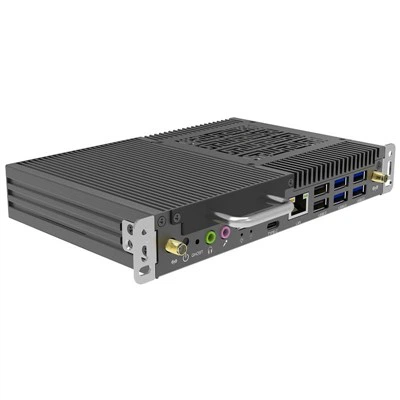
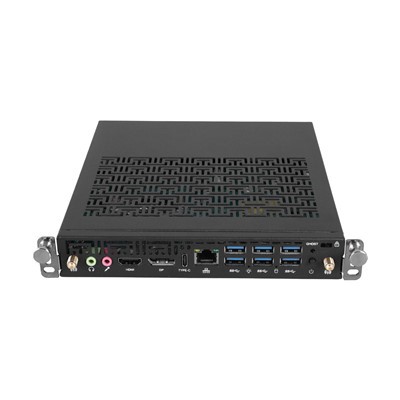
An OPS PC (Open Pluggable Specification PC) is a modular computer that follows Intel's Open Pluggable Specification (OPS) standard. It is designed to slide directly into the OPS slot of compatible commercial displays.
Unlike traditional computers, an OPS PC does not require separate power or video cables. Once inserted into the display, it becomes an integrated computing solution, making installation cleaner and maintenance much easier.
OPS PCs are commonly used in:
Interactive flat panel displays
Digital signage
Smart classrooms
Meeting rooms
Retail advertising
Healthcare information systems
What Is a Mini PC?
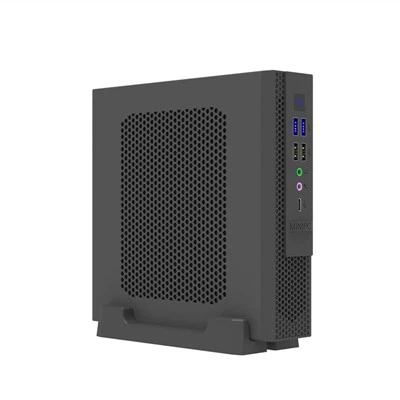
A Mini PC is a compact desktop computer that delivers desktop-class performance in a small form factor.
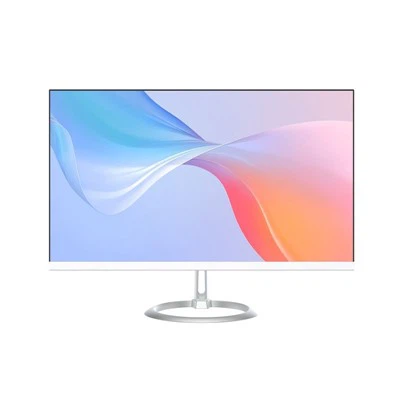
Unlike an OPS PC, a Mini PC is connected externally to a display using HDMI or DisplayPort cables and requires its own power supply.
Mini PCs are widely used for:
Office workstations
Industrial automation
Home entertainment
Self-service kiosks
Embedded computing
They are flexible and compatible with almost any monitor or display.
OPS PC vs Mini PC: Key Differences
|
Feature |
OPS PC |
Mini PC |
|
Installation |
Built into OPS display |
External device |
|
Cable Management |
Minimal cables |
Multiple cables |
|
Power Supply |
Through OPS slot |
External adapter |
|
Maintenance |
Easy module replacement |
Requires cable disconnection |
|
Best Application |
Commercial displays |
General computing |
|
Display Compatibility |
OPS-enabled displays only |
Almost any display |
Installation and Space Efficiency
One of the biggest advantages of an OPS PC is its integrated design.
Since the computer is installed directly inside the display, there is no need for additional mounting brackets or visible cables. This creates a clean and professional installation, which is especially important in classrooms, conference rooms, and public display environments.
Mini PCs usually need to be mounted behind the display or placed nearby. While this is still a compact solution, it requires additional cables for power, video, and peripherals.
For projects where appearance and cable management matter, an OPS PC is often the better choice.
Maintenance and Upgrades
For businesses managing multiple displays, maintenance is an important consideration.
If an OPS PC needs to be upgraded or replaced, technicians can simply remove the module from the display and insert a new one within minutes.
With a Mini PC, replacing the computer often involves disconnecting several cables and removing the mounting bracket before installing the new device.
This makes OPS PCs more efficient for schools, retail stores, and enterprise environments where minimizing downtime is essential.
Performance
Modern OPS PC and Mini PC offer very similar performance.
Many OPS PC now support the latest Intel® Core™ processors, DDR5 memory, NVMe SSD storage, and Windows 11, providing enough computing power for demanding commercial applications.
Whether you choose an OPS PC or a Mini PC, performance should be selected based on your application's requirements rather than the device's form factor.
Which Solution Is Right for Your Business?
Choose an OPS PC if your project includes:
Interactive flat panel displays
Digital signage
Smart classrooms
Conference room displays
Commercial display systems
Choose a Mini PC if you need:
General office computing
Industrial automation
Embedded applications
Flexible display compatibility
Personal or business desktop use
Why Many Commercial Projects Prefer OPS PC
As digital transformation continues across education, retail, healthcare, and corporate environments, more organizations are adopting OPS PCs because they simplify deployment and reduce maintenance costs.
The modular design allows businesses to upgrade computing performance without replacing the entire display, helping extend the lifespan of commercial equipment and lower the total cost of ownership.
For system integrators and display manufacturers, this flexibility makes OPS PCs an ideal long-term solution.
Frequently Asked Questions
Is an OPS PC more powerful than a Mini PC?
Not necessarily. Both devices can deliver similar performance when equipped with the same processor, memory, and storage.
Can I use an OPS PC with any monitor?
No. An OPS PC requires a commercial display that supports the Intel OPS standard.
Which is better for digital signage?
For OPS-compatible commercial displays, an OPS PC is generally the better choice because it offers cleaner installation and easier maintenance.
Is a Mini PC a good alternative?
Yes. If your display does not support an OPS slot or you require a more flexible computing solution, a Mini PC is an excellent option.
Conclusion
Both OPS PC and Mini PC are powerful compact computing solutions, but they are designed for different environments.
If your project focuses on commercial displays, interactive touch panels, or digital signage, an OPS PC offers better integration, simplified maintenance, and a cleaner installation.
If flexibility and compatibility with different displays are more important, a Mini PC remains a practical and cost-effective choice.
By understanding your deployment requirements and long-term maintenance needs, you can confidently choose the solution that best supports your business.
Contact HJS
Looking for a reliable Intel OPS PC manufacturer?
HJS specializes in Intel-based OPS PC for interactive displays, digital signage, education, and OEM/ODM projects. Contact our team to learn more about our latest OPS PC solutions or discuss your project requirements.