
Introduction
If you've used an interactive whiteboard in a classroom, presented on a smart board in a conference room, or walked past a digital signage display, you've likely encountered a technology hiding in plain sight: the OPS PC.
But what exactly is an OPS PC? Why do so many interactive displays rely on this slot-in module? And if you're responsible for procuring these displays, why should you care?
This guide answers those questions. By the end, you'll understand why OPS has become the preferred computing architecture for interactive displays worldwide.
1. What Does OPS Stand For?
OPS stands for Open Pluggable Specification.
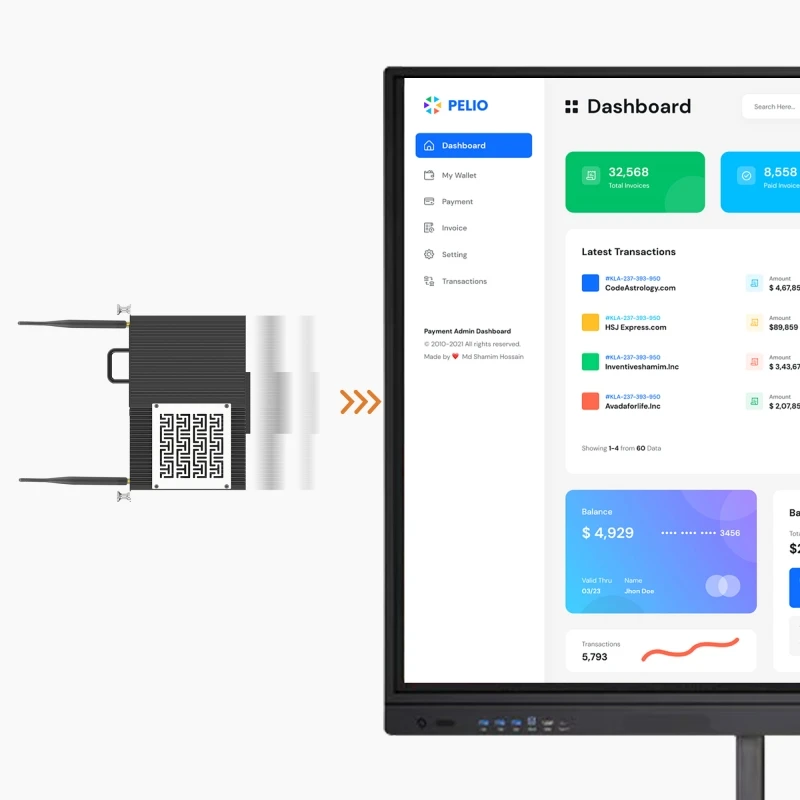
Introduced by Intel in 2010, it's a standardized form factor for computing modules that plug directly into compatible flat-panel displays. Any OPS-compliant module works seamlessly with any OPS-ready display, regardless of brand.
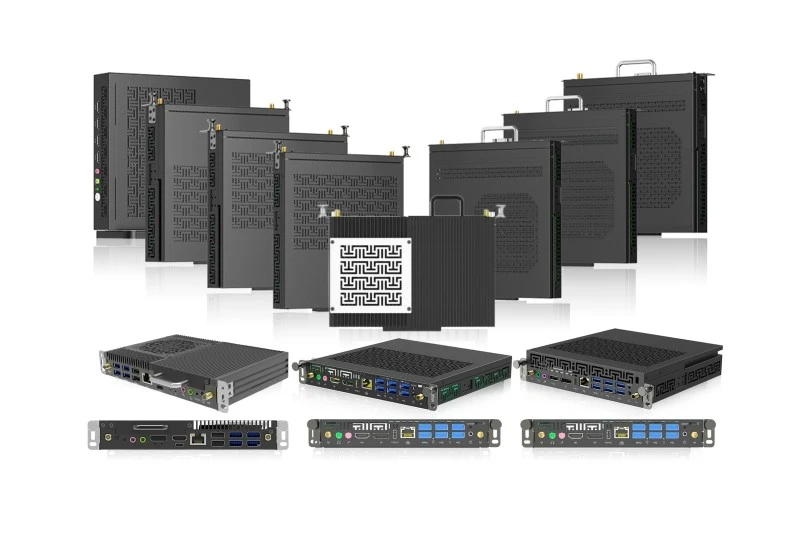
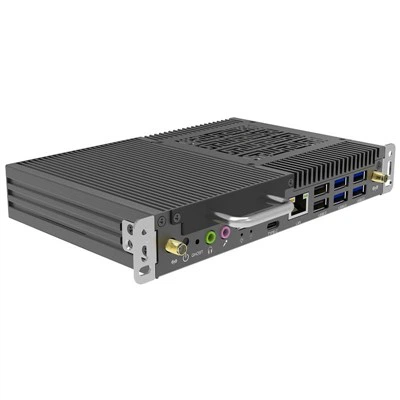
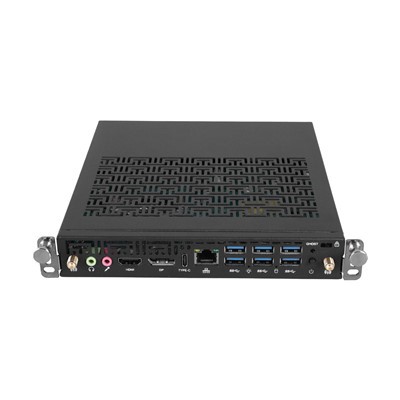
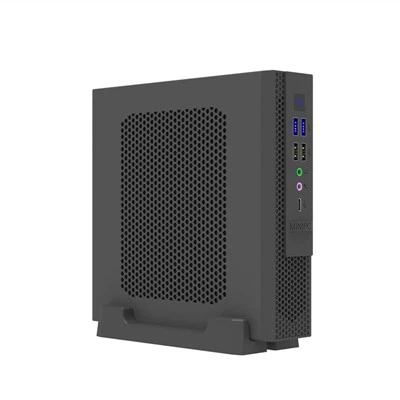
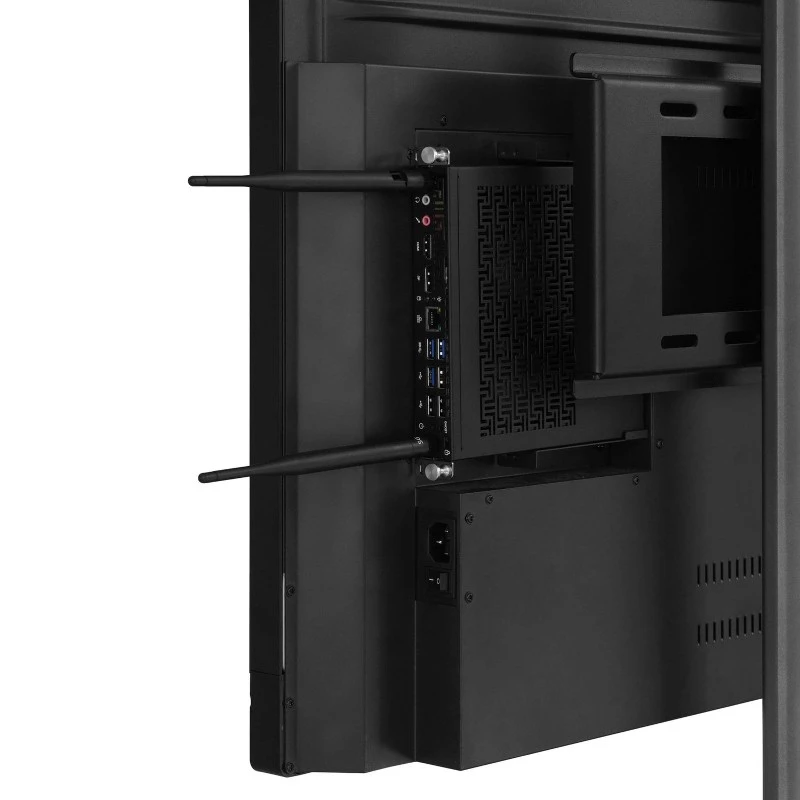
Physically, an OPS module is a compact box that slides into a dedicated slot on the display. At its heart is an 80-pin JAE connector that handles power, video, audio, USB, and touchscreen control through a single interface. No external cables, no power bricks.
2. How Does an OPS PC Work?
Think of it like a game cartridge: insert the module, and everything connects automatically.
Power comes directly from the display through the 80-pin connector.
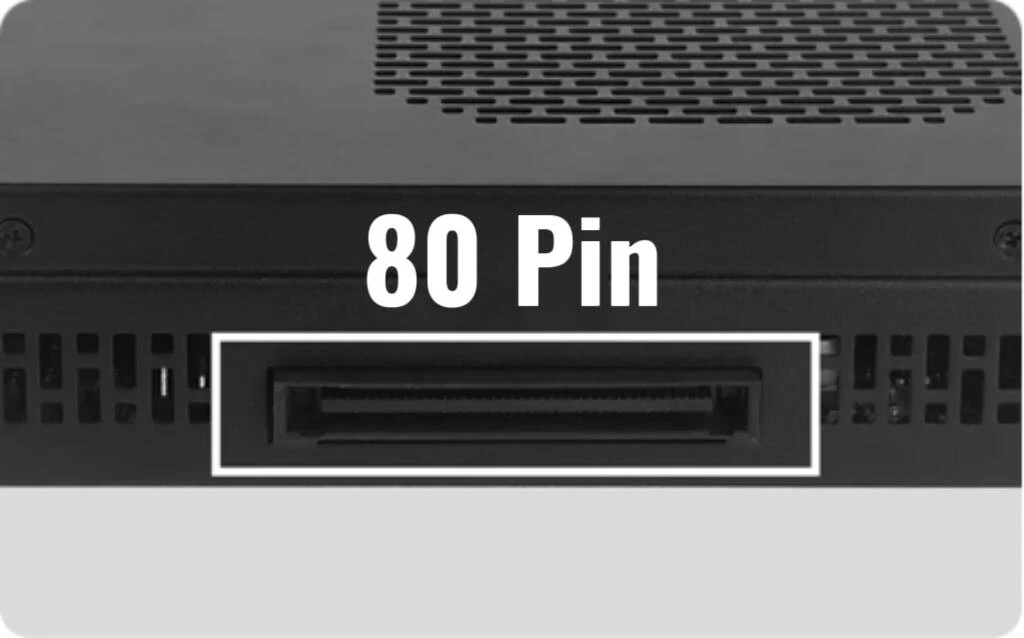
Video and audio (up to 4K@60Hz) travel through the same interface via internal HDMI and DisplayPort pathways.
Touch and USB communicate through built-in USB channels. Users interact with applications directly on screen with zero latency.
Power states are synchronized - turn the display on or off, and the OPS PC follows automatically.
For IT staff, the modular design means a faulty module can be swapped in under a minute without removing the display from the wall.
3. Why Choose an OPS PC?
3.1 Clean, Cable-Free Installation
The module sits completely hidden inside the display. No visible cables, no clutter - ideal for classrooms, boardrooms, and public spaces.
3.2 Effortless Maintenance
When hardware needs repair or upgrade, simply slide out the old module and insert a new one. For large-scale deployments, this dramatically reduces maintenance costs.
3.3 Flexible Operating System
Unlike built-in Android, an OPS PC delivers a full desktop OS - Windows 10, Windows 11, or Linux - supporting Microsoft Office, Teams, Zoom, and specialized software without compromise.
3.4 Standardization
OPS follows an open industry standard. You're not locked into a single brand's proprietary module, so procurement teams can standardize across all rooms.
4. Where are OPS PC Used?
Education: Interactive flat panels running whiteboarding software, educational apps, and video streaming.
Corporate Meeting Rooms: Powering Microsoft Teams Rooms and Zoom Rooms with a clean, professional setup.
Digital Signage: Driving 4K content in retail stores, airports, and restaurants, often 24/7.
Healthcare: Patient information terminals and telemedicine stations.
Control Rooms: Reliable, uninterrupted operation in security and industrial environments.
5. OPS vs. OPS-C: What's the Difference?
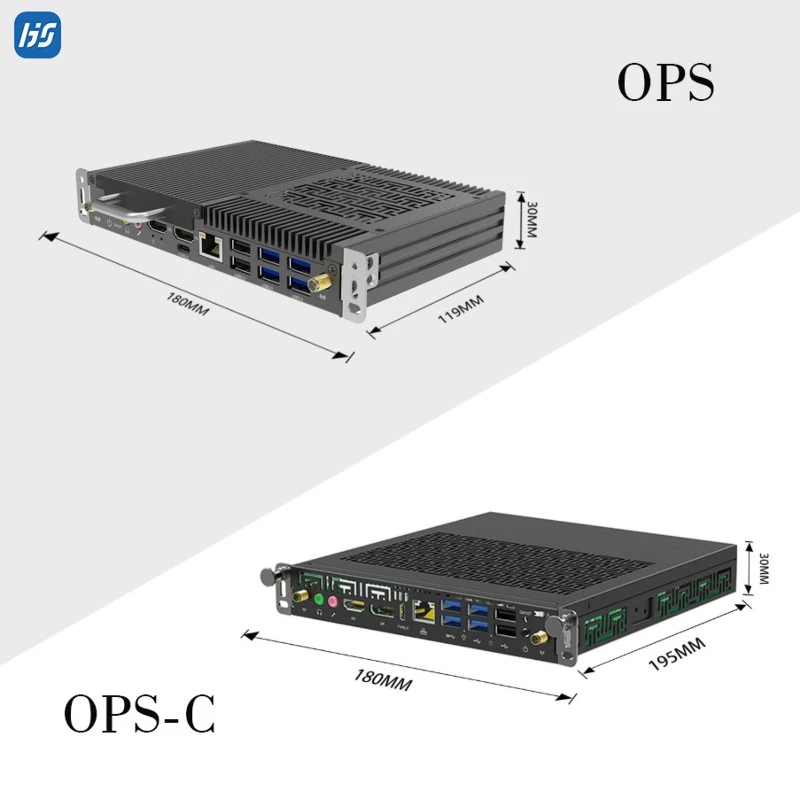
OPS-C is a variant developed primarily for the Chinese domestic market. While it uses the same 80-pin connector and provides the same core functionality, the physical dimensions differ from standard OPS:
Standard OPS: 119 x 180 x 30 mm
OPS-C: 195 x 180 x 30 mm (some models up to 42 mm thick)
Always verify your display's slot specification before ordering - a quick compatibility check prevents costly errors.
6. What to Look for When Selecting an OPS PC
Physical Compatibility: Standard OPS (119 x 180 x 30 mm) or OPS-C (195 x 180 x 30/42 mm)? Confirm before ordering.
Processor: Our recommended configurations feature Intel Core i5 12th Gen for mainstream education and business use, and Intel Core i7 13th Gen for demanding 4K applications and heavy multitasking. We also offer a full range from i3 to i7 across 4th to 14th Generation to match any project requirement.
Memory & Storage: Flexible options - 8GB/16GB/32GB RAM and 128GB/256GB/512GB/1TB SSD - configured to your exact needs. Some modules use 2 slots for future upgrades.
Thermal Design: Our OPS modules feature a unique window-lattice style ventilation design that improves airflow and heat dissipation compared to conventional grille patterns.
Operating System: Support for Windows 10, Windows 11, or Linux, giving you full flexibility.
Certifications & Warranty: CE and FCC certified, with a 3-year warranty as standard.
Frequently Asked Questions
Q1: What does OPS stand for?
A: Open Pluggable Specification - an industry-standard format for modular PCs that plug directly into compatible interactive displays.
Q2: Can I use any OPS PC with any interactive display?
A: If both comply with the same OPS standard, yes. Always verify whether your display uses standard OPS (119 x 180 x 30 mm) or OPS-C (195 x 180 x 30/42 mm).
Q3: Is an OPS PC better than built-in Android?
A: For full desktop applications like Microsoft Office and specialized software, an OPS PC is far superior. For basic annotation and media playback, built-in Android may suffice.
Q4: What operating systems are supported?
A: Windows 10, Windows 11, and Linux.
Q5: Can I customize the RAM and storage?
A: Yes. Options range from 8GB to 32GB RAM and 128GB to 1TB SSD.
Q6: What processors do you recommend?
A: Intel Core i5 12th Gen for mainstream use, and i7 13th Gen for demanding applications. Full range i3-i7 across 4th-14th Gen also available.
Q7: Do OPS PC support 4K?
A: Yes, 4K@60Hz on current-generation modules.
Q8: How long do they last?
A: 5+ years with proper cooling. We provide a 3-year warranty as standard.
Conclusion
The OPS PC transforms what could be a cable-cluttered installation into a clean, integrated, and easily serviceable solution. For organizations deploying interactive displays at scale, it means lower total cost of ownership, faster maintenance, and a better user experience - with flexible configurations to match any requirement.
Looking for Reliable OPS PC Solutions?
At HJS, we specialize in OPS PC modules for education, business, and digital signage worldwide. Our featured configurations are powered by Intel Core i5 12th Gen and i7 13th Gen processors, with full product line coverage from i3 to i7 across 4th to 14th Generation. We offer customizable memory and storage, support for Windows 10, Windows 11, and Linux, and both standard OPS and OPS-C form factors.
Contact us today for a free compatibility check and configuration recommendation.
[Get in Touch →]